> open source · GPL-3.0 · beta
SSH, rendered on the GPU
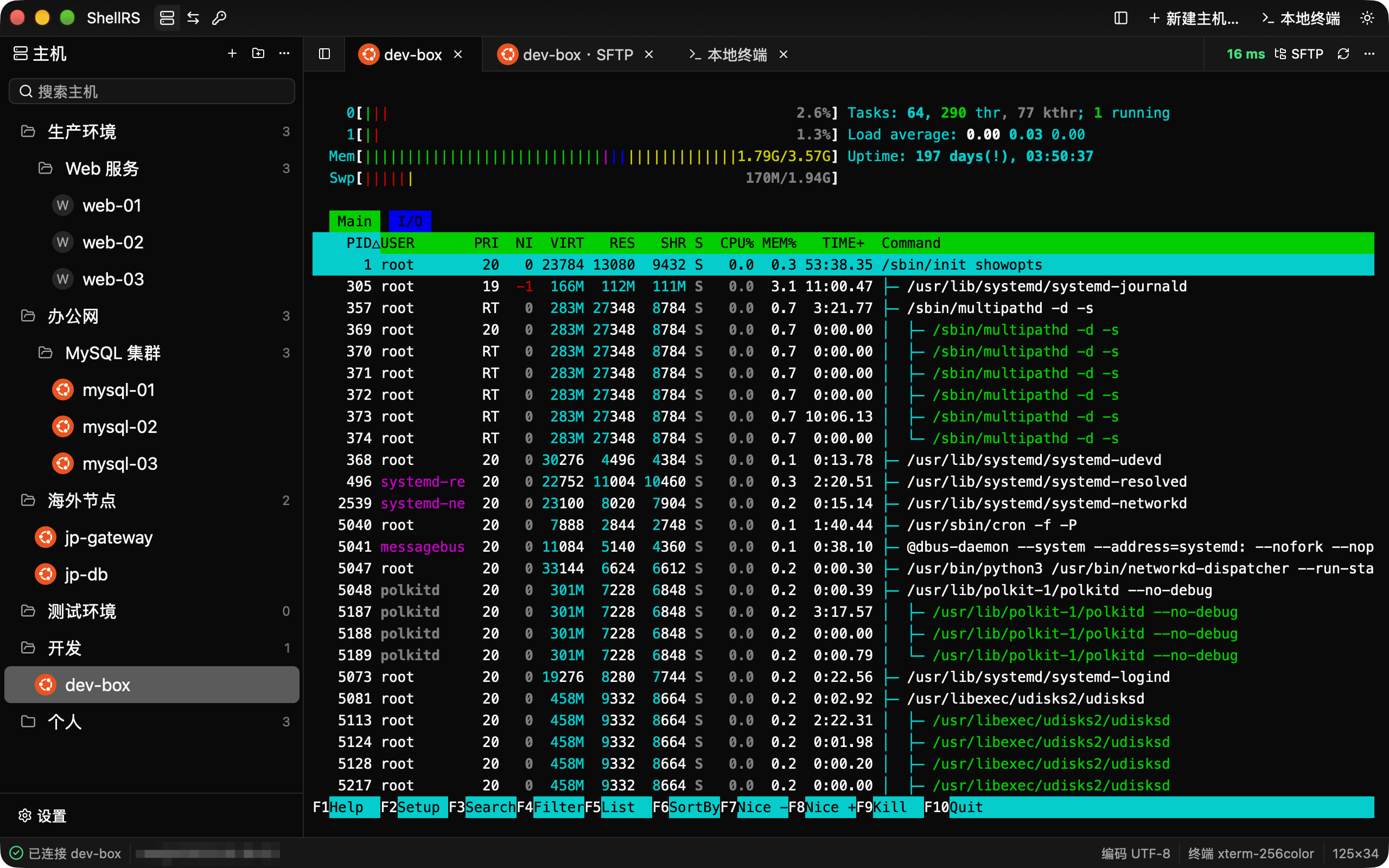
ShellRS is a native SSH client written in Rust. Host management, terminals, WinSCP-style SFTP and port forwarding share one window, drawn by the GPU — no Electron, no JVM.
v0.1.0-beta.4 · macOS 11+ · Windows x64 · Linux x64 · other platforms
> why shellrs
Xshell and WinSCP in one native window
Native, GPU-drawn
Written in Rust on GPUI, the UI framework behind the Zed editor. The whole interface, terminal included, is drawn on the GPU.
One window for the whole job
Terminals, SFTP and port forwards live side by side. Drag any tab into a split; nothing hides in a second app.
Secrets stay in your keychain
Passwords and key passphrases go to the macOS Keychain, Windows Credential Manager or Secret Service. The database never holds one.
> sftp
SFTP that works like WinSCP
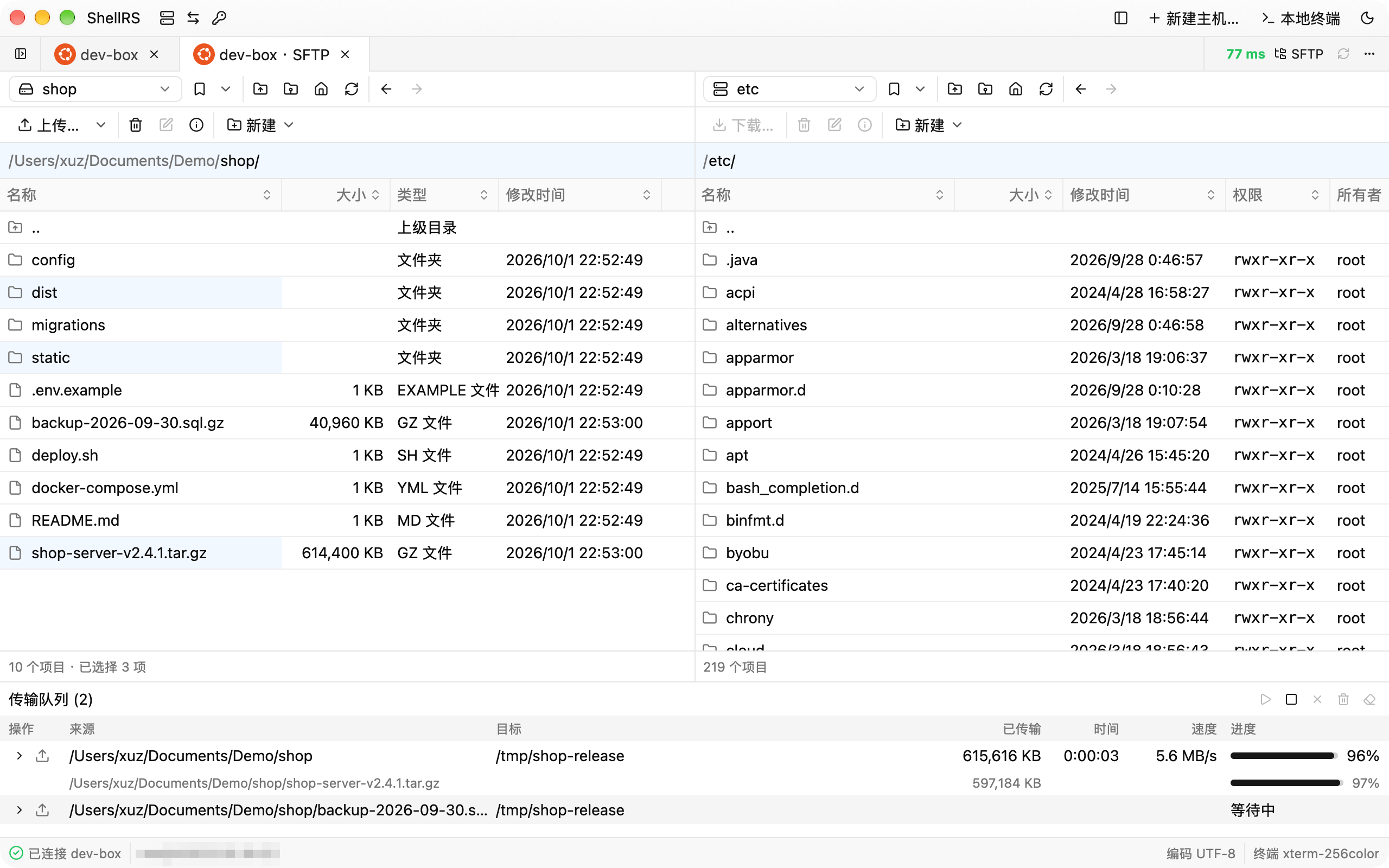
Two panes with WinSCP's columns, path labels, bookmarks and shortcuts. Select by highlight, drag between panes, and keep queueing transfers while one runs.
- Resumes after a dropped connection, or after a restart
- A transfer queue with speed and time left
- Local deletes go to the Trash; symlinks are never followed
> port forwarding
Port forwards you can read
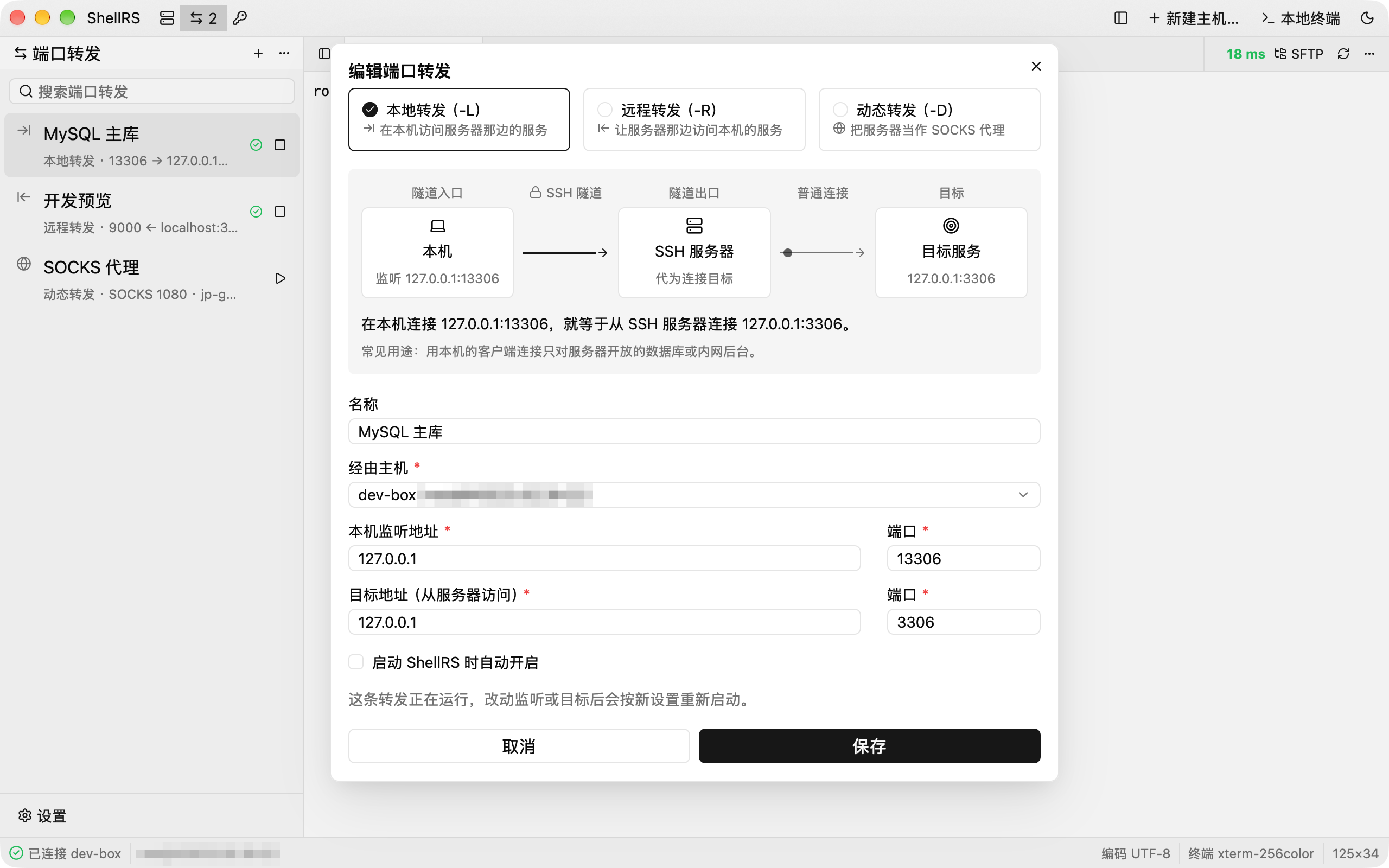
Local, remote and dynamic forwards, each drawn as a live diagram with one sentence that says where connections enter and where they go.
- -L, -R and -D with SOCKS5 and SOCKS4
- Reconnects on its own after a drop
- Rules can start with ShellRS
> split view
Terminal and files, side by side
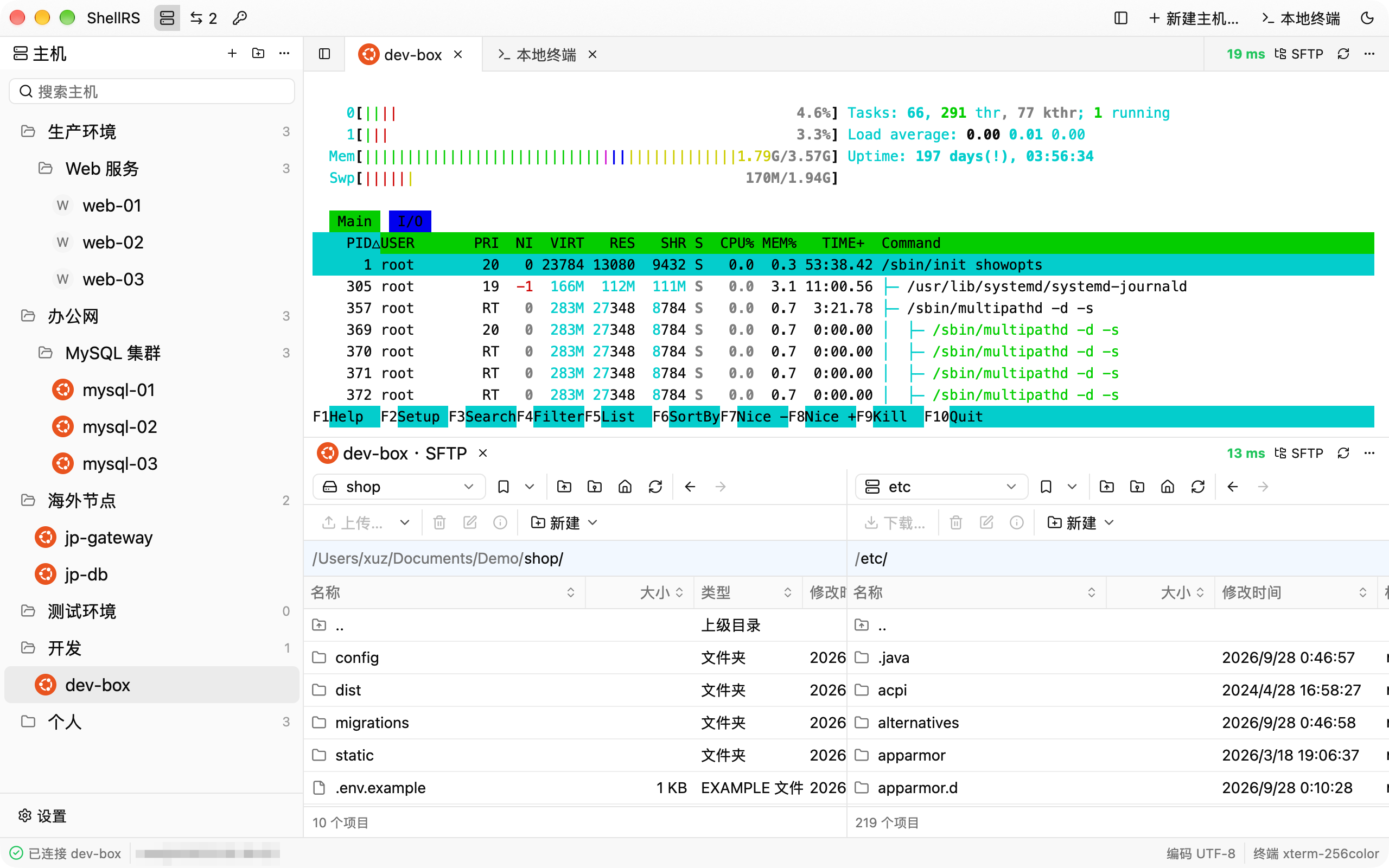
Drag a tab to any edge to split left and right or top and bottom. Watch a deploy in the terminal while its files land in SFTP below.
- Live round-trip latency on every SSH tab
- vim, htop and other full-screen programs just work
- Find in scrollback and clear the screen locally
> and also
Built for people with too many servers
Jump hosts and proxies
Chain saved hosts as jump servers, or go through an HTTP or SOCKS5 proxy.
Shared credentials
Password, key and SSH agent credentials that many hosts reuse. Generate Ed25519 keys in place.
Live latency
Every SSH tab shows its round-trip time, measured every five seconds.
Knows your servers
Detects the remote OS on connect and badges each host with it. Nested groups and search keep the list tidy.
Signed updates
minisign-signed manifests and SHA-256-checked packages, downloaded in the background and installed on restart.
Its own known_hosts
ShellRS asks before trusting a new host key and keeps its records apart from ~/.ssh.
> for ai agents
Let your agent use the hosts you saved
Turn on the external CLI and Claude Code, Codex or OpenCode can run commands and move files on your saved hosts. ShellRS logs in for them, so the agent never sees a password.
An unknown host or a missing password fails at once with a stable error code — no prompt that leaves an agent hanging.
# list the hosts saved in ShellRS
$ shellrs list
# run a command; the exit code is the remote one
$ shellrs exec <ID> "uptime && df -h"
# move files without handing over a password
$ shellrs upload <ID> ./dist/app.tar.gz /opt/app/
$ shellrs download <ID> /var/log/syslog ./logs/
> download
Free, open source, on every desktop
Version 0.1.0-beta.4. Once installed, ShellRS keeps itself up to date.
ShellRS is a desktop app. Grab a package to install later, or open this page on your computer.
macOS
Your systemApple Silicon and Intel · macOS 11 or later · signed and notarized
Download .dmg · 32.5 MBWindows
Your systemx64 · installs for the current user, no administrator rights
Download installer · 13.3 MBLinux
Your systemx64 AppImage · glibc 2.35+ (Ubuntu 22.04, Debian 12 and later)
Download AppImage · 21.5 MB